LazySubmodules
Track Git submodules by branch, tag, tag pattern or commit, with a lock file that catches moved tags.
A command line tool for scripts and a terminal interface for people.
Configuration lives in .gitmodules, all work is done by git, and only
fetch, update --fetch, add and the fetch key of the terminal
interface use the network.
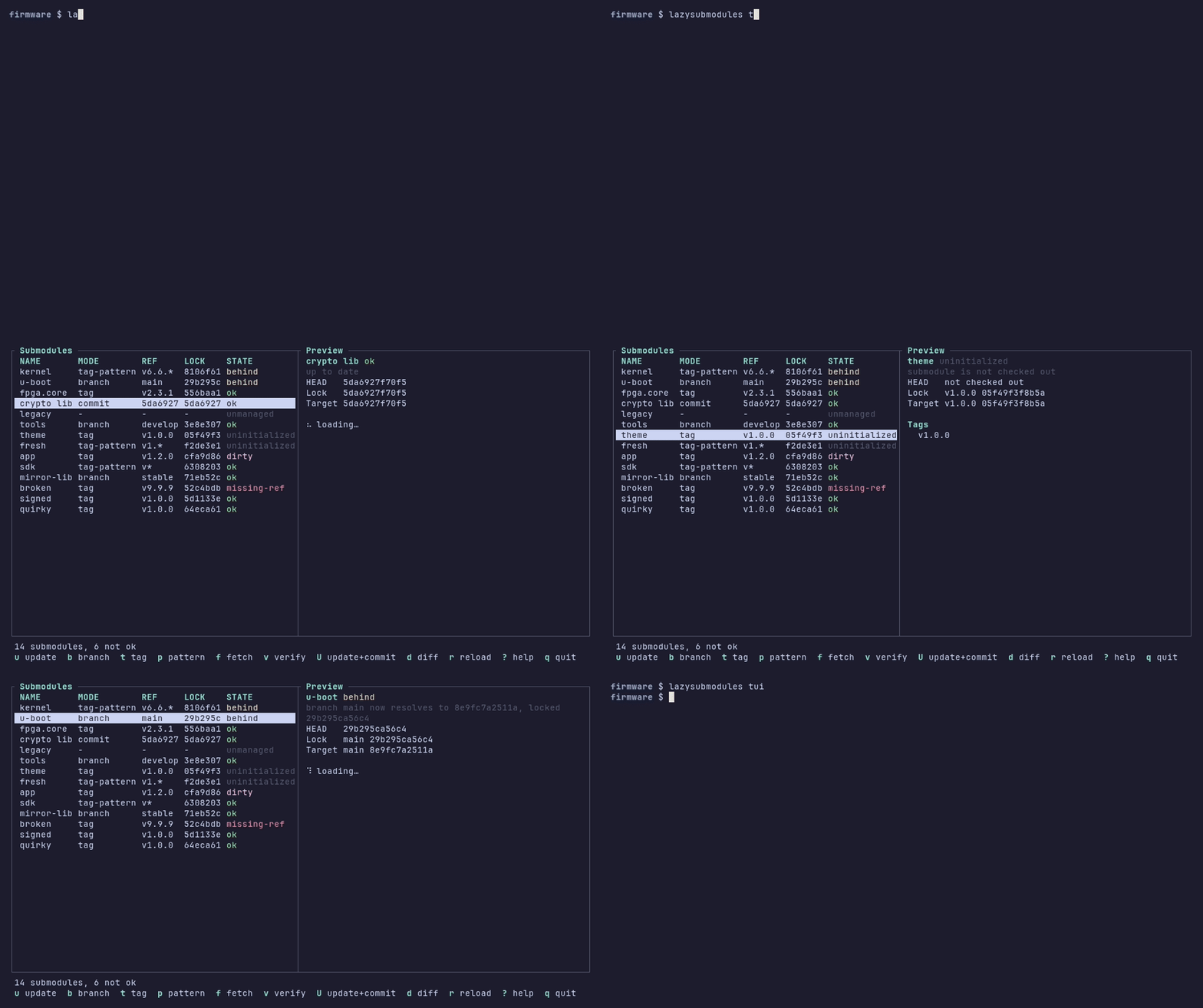
The terminal interface on the demo superproject.
What it does
Follow a branch, a tag, the highest version tag matching a glob such as
v2.*, or a fixed commit.
.lsm.lock records what each submodule resolved to, so a tag moved
upstream shows up as drift.
Every selected submodule is checked first; one refusal means nothing changes.
Browse states, preview updates and re-target submodules with single keys.
A stable porcelain format, verify with signature checks, and distinct
exit codes.
Plain git submodule update --init still works for everyone else.
Install
LazySubmodules runs on Linux (amd64 and arm64) and needs Git 2.39 or
later.
The newest release, v0.1.0-rc.1, is a release candidate: it has not been
used against remotes over a network yet.
VERSION=0.1.0-rc.1   # release version without the leading "v"
ARCH=amd64      # or arm64
BASE="https://github.com/FPGArtktic/lazysubmodules/releases/download/v${VERSION}"
curl -fLO "${BASE}/lazysubmodules_${VERSION}_linux_${ARCH}.tar.gz"
tar -xzf "lazysubmodules_${VERSION}_linux_${ARCH}.tar.gz"
sudo install -m 0755 lazysubmodules /usr/local/bin/lazysubmodules
VERSION=0.1.0-rc.1 ARCH=amd64
curl -fLO "https://github.com/FPGArtktic/lazysubmodules/releases/download/v${VERSION}/lazysubmodules_${VERSION}_linux_${ARCH}.deb"
sudo apt install "./lazysubmodules_${VERSION}_linux_${ARCH}.deb"
VERSION=0.1.0-rc.1 ARCH=amd64
curl -fLO "https://github.com/FPGArtktic/lazysubmodules/releases/download/v${VERSION}/lazysubmodules_${VERSION}_linux_${ARCH}.rpm"
sudo dnf install "./lazysubmodules_${VERSION}_linux_${ARCH}.rpm"
yay -S lazysubmodules-git # or: paru -S lazysubmodules-git
go install github.com/FPGArtktic/lazysubmodules/cmd/lazysubmodules@latest
git clone https://github.com/FPGArtktic/lazysubmodules.git
cd lazysubmodules
scripts/build-in-container.sh build   # binary in bin/lazysubmodules
Installation covers every method, the installed files and how to verify a download.
First steps
# Let the existing submodule "kernel" follow the newest stable v6.6.x tag.
lazysubmodules set kernel --tag-pattern 'v6.6.*'

# Fetch, resolve, check out, update .lsm.lock and commit the result.
lazysubmodules update kernel --fetch --commit

# Add a new submodule that follows the branch "main" (changes are staged).
lazysubmodules add https://git.example.org/u-boot.git u-boot --branch main

# Inspect and verify.
lazysubmodules status
lazysubmodules verify

# Or work interactively.
lazysubmodules tui
Quote glob patterns such as 'v6.6.*', so that the shell does not expand
them. The quick start walks through these
steps one at a time.
Why LazySubmodules
Native Git tracks only branches: set submodule.<name>.branch and run
git submodule update --remote. There is no native way to say “this
submodule follows tag v2.3.1” or “this submodule follows the newest
v6.6.* release”, so projects that pin dependencies to releases update
them by hand.
LazySubmodules adds tags, tag patterns and fixed commits without breaking
native Git. Its configuration lives in namespaced keys that Git ignores,
the superproject still records ordinary gitlinks, and a plain
git submodule update --init works for anyone who does not use it.
It is not a replacement for repo, west, git subtree or monorepo
tooling, and it does not manage credentials: Git uses its configured
credential helpers.
See it work

status, the porcelain format, a dry run and update --commit with its
generated message. See Update submodules.

A wider pattern still selects the newest stable tag. See Tracking modes and resolution.
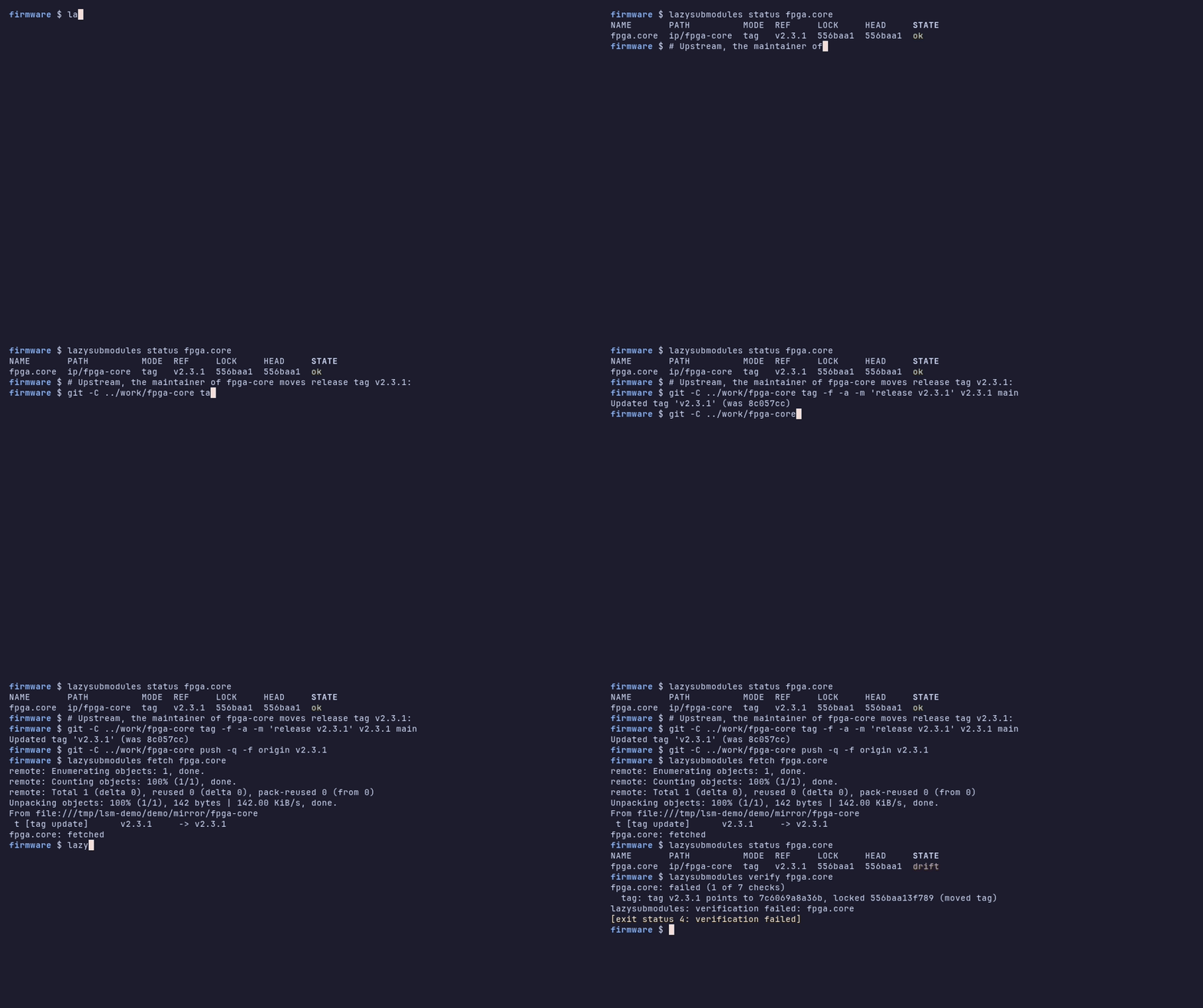
The lock file exposes a release tag that was moved upstream. See Detect moved tags.
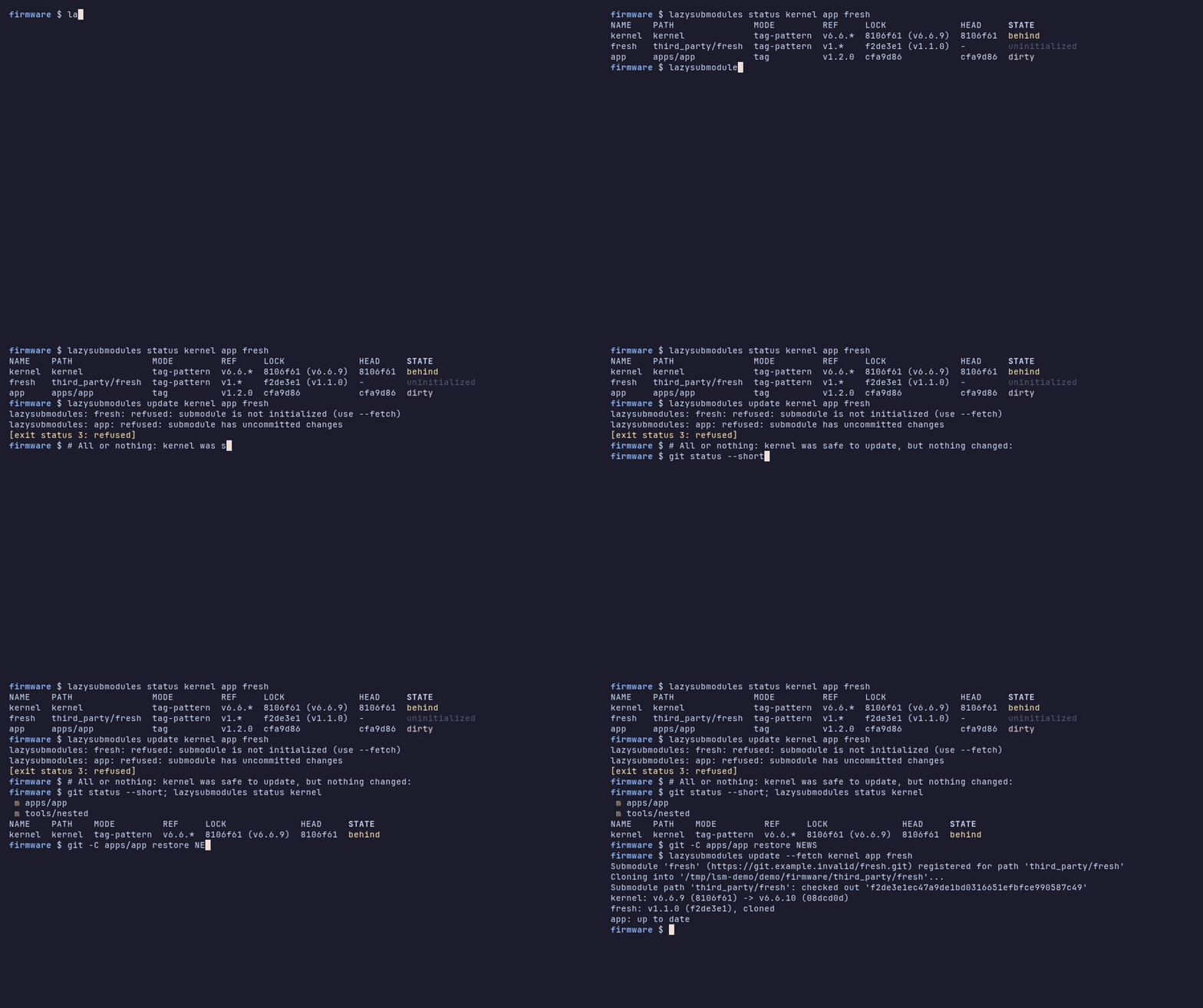
One unsafe submodule stops the whole update. See Safety model.
Where next
Fourteen submodules in every state, built offline.
Update, commit, verify and automate.
Every command, option and exit code.
Build, test and send a change.